Steps to Clock In at the Kiosk When Not Pre-Scheduled
Step 1: Begin Clock-In Process
- Open the Kiosk.
- Tap "Check In" on the main action menu.
.png)
Step 2: Look for Your Name
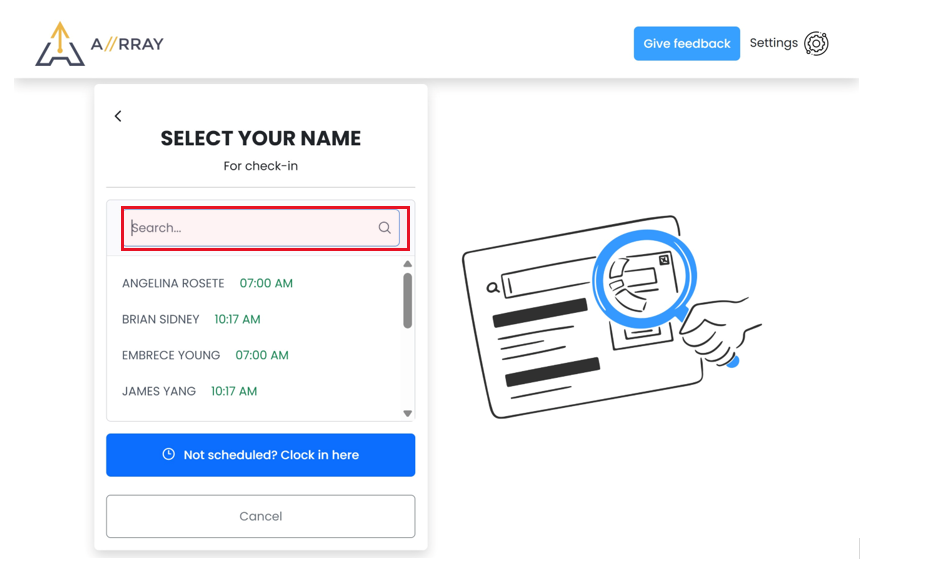
- On the "Select Your Name" screen, scroll and try to find your name.\
Step 3: Not Scheduled?
- If your name does not appear, tap the "Not scheduled? Clock in here" button.
.png)
Step 4: Search for Your Name
- Use the search bar to type in your name.
.png)
Step 5: Select Your Name
- Once your name appears in the list, tap it to proceed.
.png)
Step 6: Enter PIN
- Enter your 4-digit PIN code.
.png)
Step 7: Confirmation Message
- If your PIN is correct, you will see a "Congratulations" message confirming successful check-in.
.png)
Step 8: Break and Check-Out
- You can now use the app to clock for breaks and check out from your shift as needed.
.png)